
Simple Subscription Products
Any simple WooCommerce product can be sold as a subscription. You do not create a special product type — you take the product you already have and connect it to a plan, which holds the billing schedule.
Note: This changed in WPSubscription 2.0. Earlier versions asked you to type a billing period into every product. That still works — see Simple mode below — but plans are now the default, because the schedule lives in one place and every product attached to it follows.
Prerequisites
- WooCommerce and WPSubscription 2.0, both active.
- A plan with at least one duration. If you have none, the setup wizard builds one in four steps.
Step 1 — Create the product
Go to Products → Add New and fill it in as you would any WooCommerce product: name, description, image, and a price under General. Leave Product data set to Simple product.
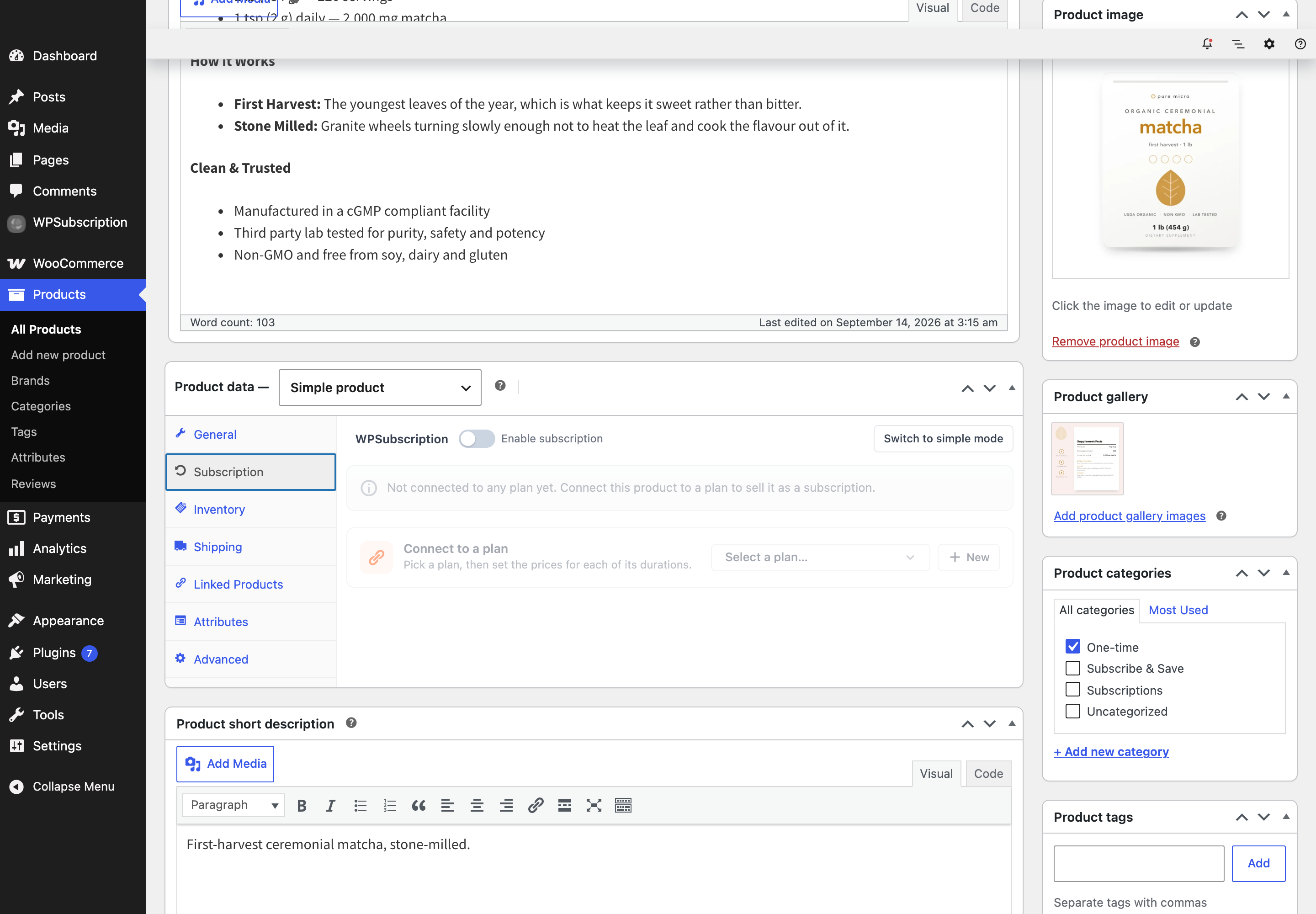
Note: The General price still matters. It is what the product costs as a one-off, and it is the starting point WPSubscription suggests for the subscription price.
Step 2 — Open the Subscription tab
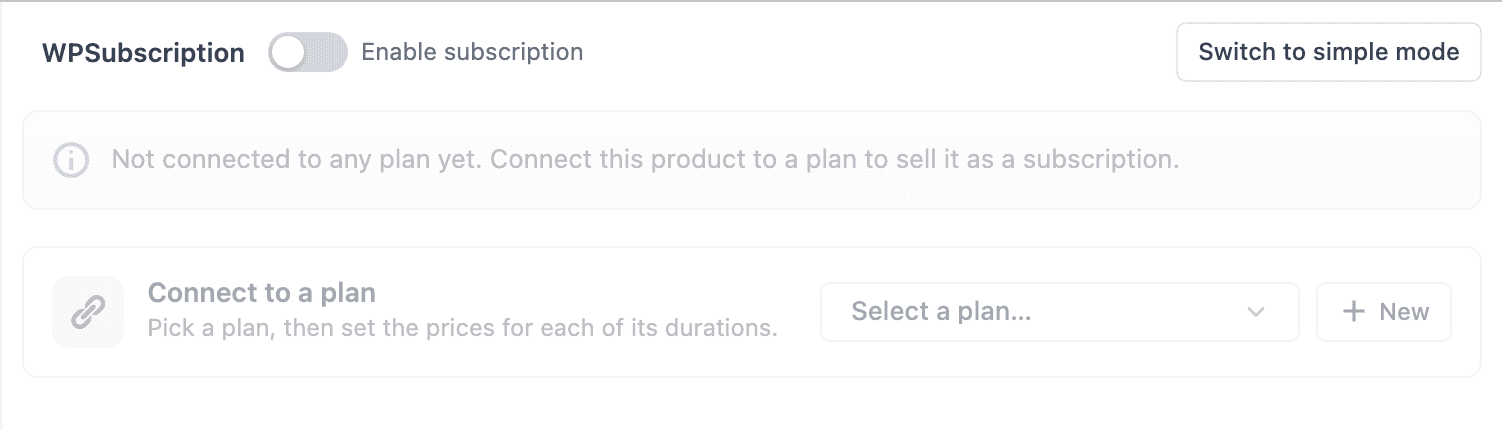
There is no checkbox to tick to "make it a subscription". Connecting a plan is what does that.
Step 3 — Connect a plan and set prices
Open Select a plan… and choose one. A price table appears with a row per duration, prefilled with the product's WooCommerce price.
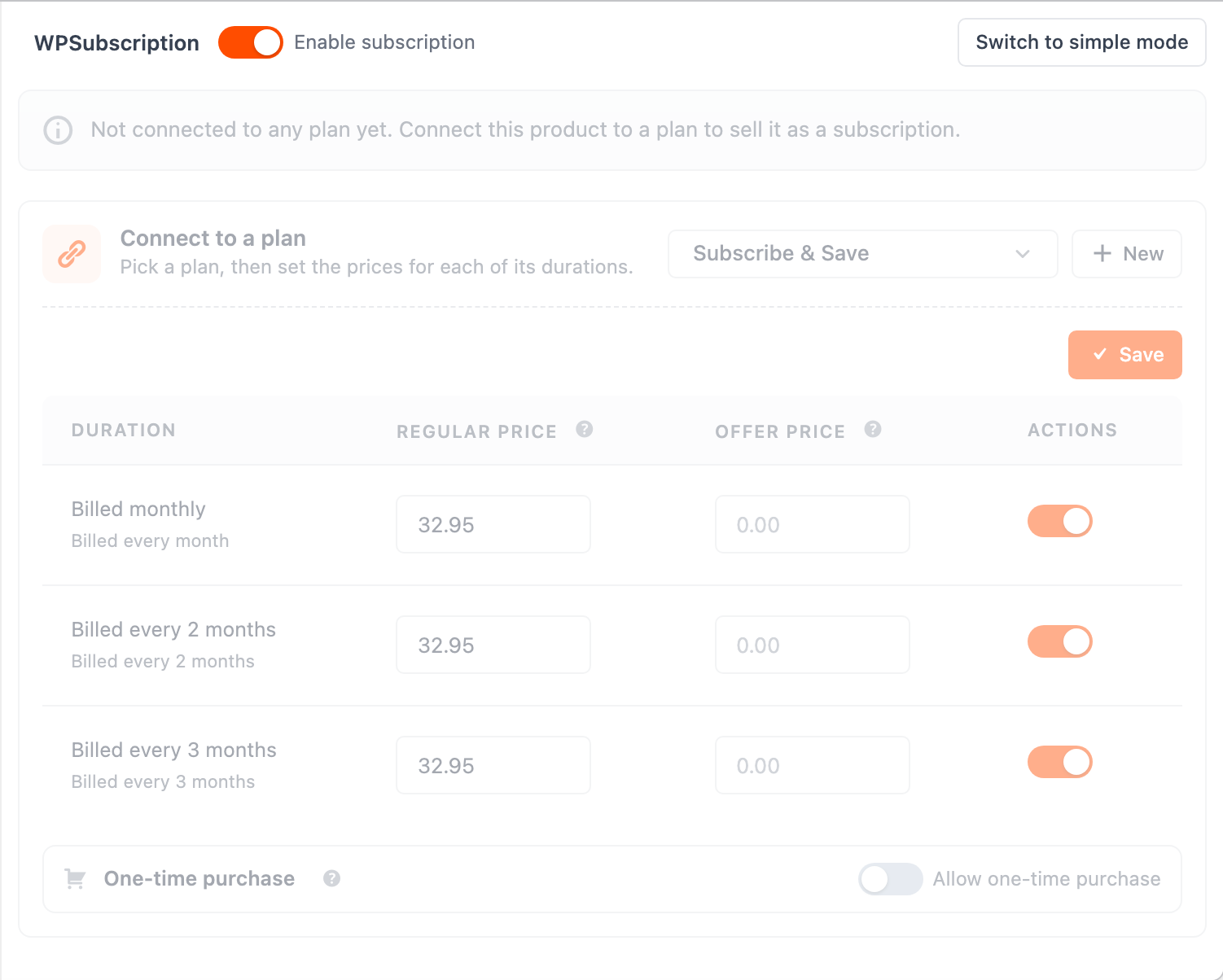
| Field | What it is |
|---|---|
| Regular Price | The recurring price for that duration. |
| Offer Price | A discount shown in place of it. This is what the customer is charged — every cycle, not just the first. |
| Actions | A toggle to hide one duration for this product without affecting the rest of the plan. |
| One-time purchase | Lets the customer buy once instead of subscribing. See One-time and recurring together. |
Notice that Enable subscription switches itself on when you pick a plan. That toggle is the product's master switch — turn it off and the product sells as an ordinary product no matter what it is attached to.
Click Save, then Publish (or Update) the product.
Step 4 — Check the result
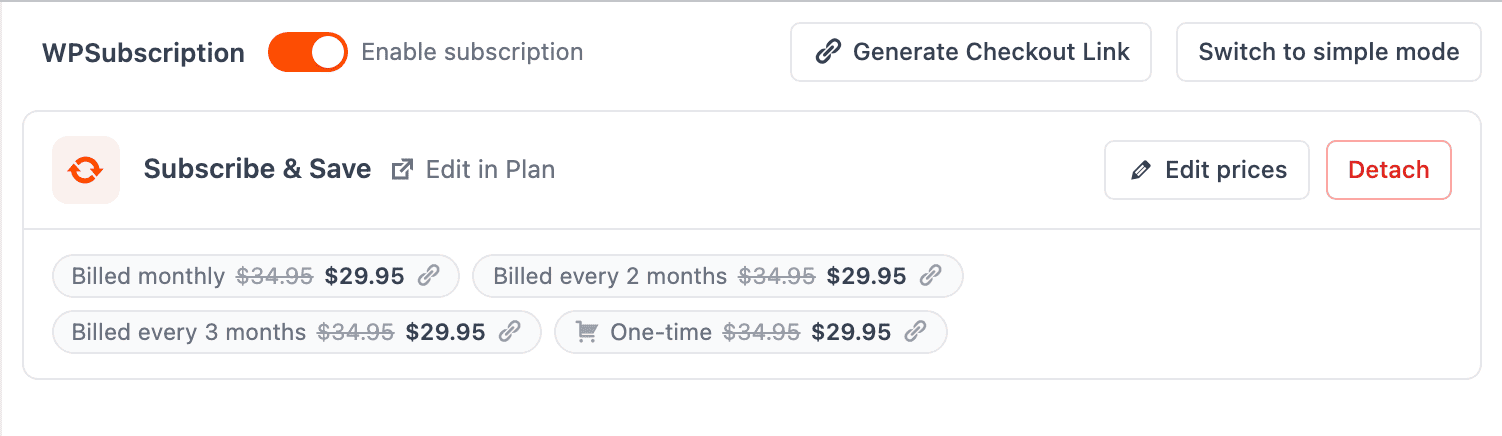
And on the storefront:
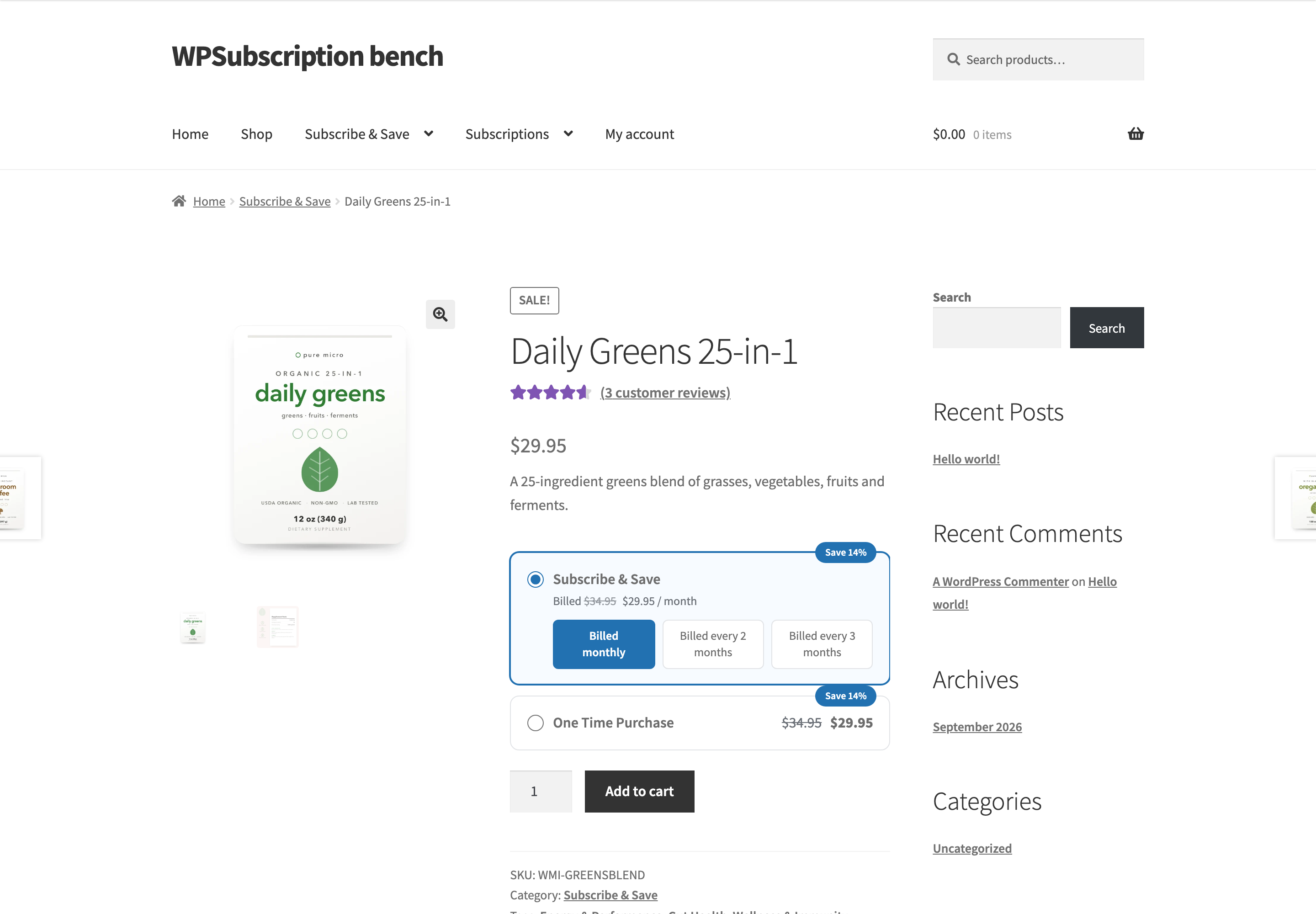
How plans look on the product page covers what the shopper sees in detail.
Simple mode — the per-product fields
If you would rather set a schedule on this one product and not use a plan at all, click Switch to simple mode in the top right of the Subscription tab.
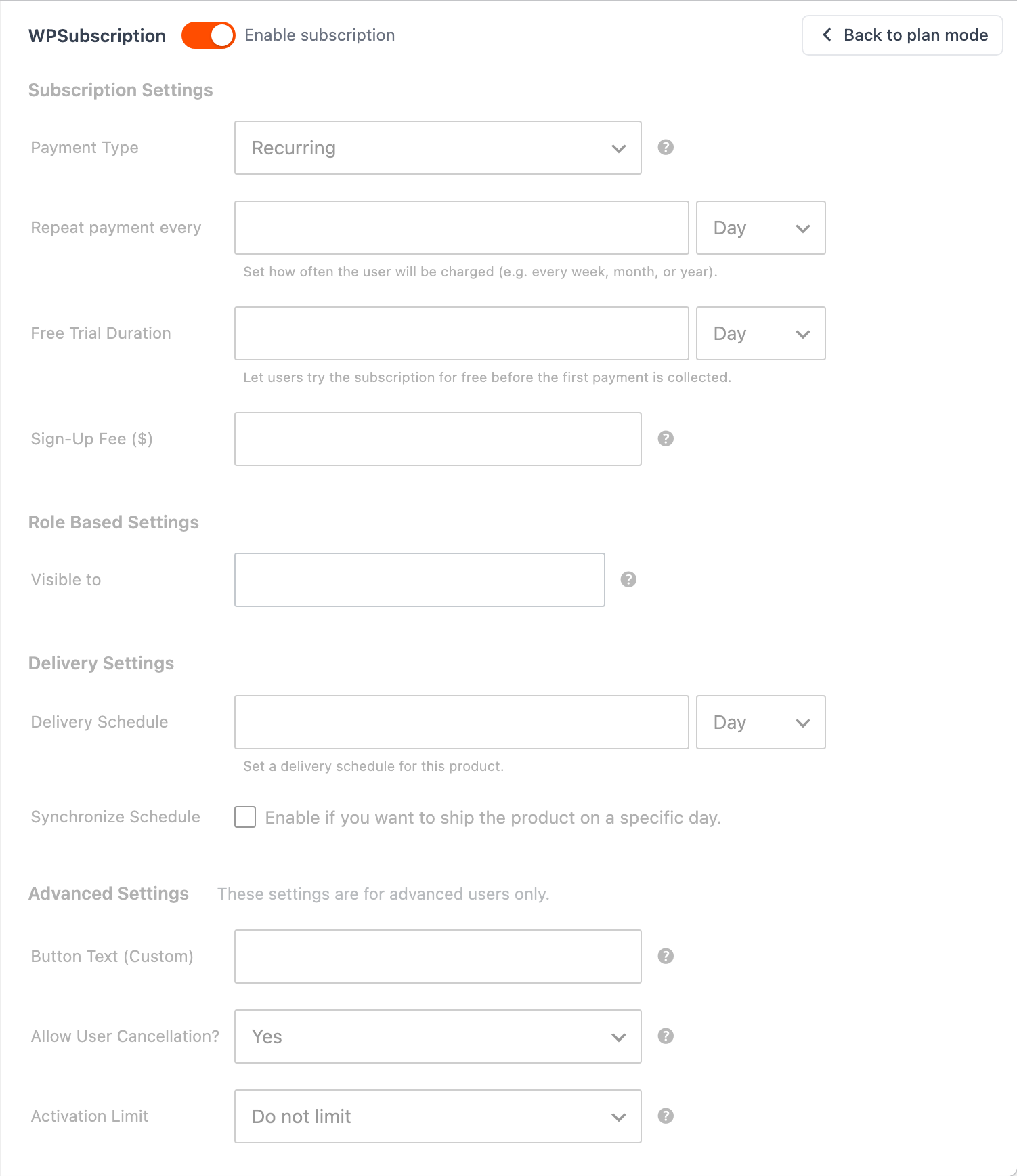
| Field | What it does |
|---|---|
| Payment Type | Recurring, or one of the Pro payment types. |
| Repeat payment every | How often the customer is charged — a number and a unit. |
| Free Trial Duration | How long before the first payment is collected. |
| Sign-Up Fee | A one-time charge on the first payment. |
| Visible to | Restricts the product to particular user roles. |
| Delivery Schedule / Synchronize Schedule | For physical goods: how often to ship, and whether everyone ships on the same day. See Delivery schedules. |
| Button Text (Custom) | Replaces "Subscribe" on the add-to-cart button. |
| Allow User Cancellation? | Whether the customer can cancel from their account. |
| Activation Limit | Caps how many active subscriptions one customer can hold for this product. |
Note: Products set up in simple mode before you upgraded keep working exactly as they did, and their existing subscribers keep renewing. Nothing needs migrating. Use plan mode when you want one schedule across several products; use simple mode for a one-off.
Troubleshooting
| Symptom | Check |
|---|---|
| No subscription options on the product page | Enable subscription is on, and the plan has at least one active duration. |
| One duration is missing | Its toggle in the price table is off for this product, or the duration is a draft on the plan. |
| The price is wrong | An offer price beats the regular price. Both are on the Subscription tab, per duration. |
| No Subscription tab at all | WooCommerce is active but WPSubscription is not, or the product type is not Simple or Variable. |
What to do next
- Variable subscription products — different prices per variation.
- Plan products and pricing — managing many products from the plan side.
- Direct checkout links — one link per price.