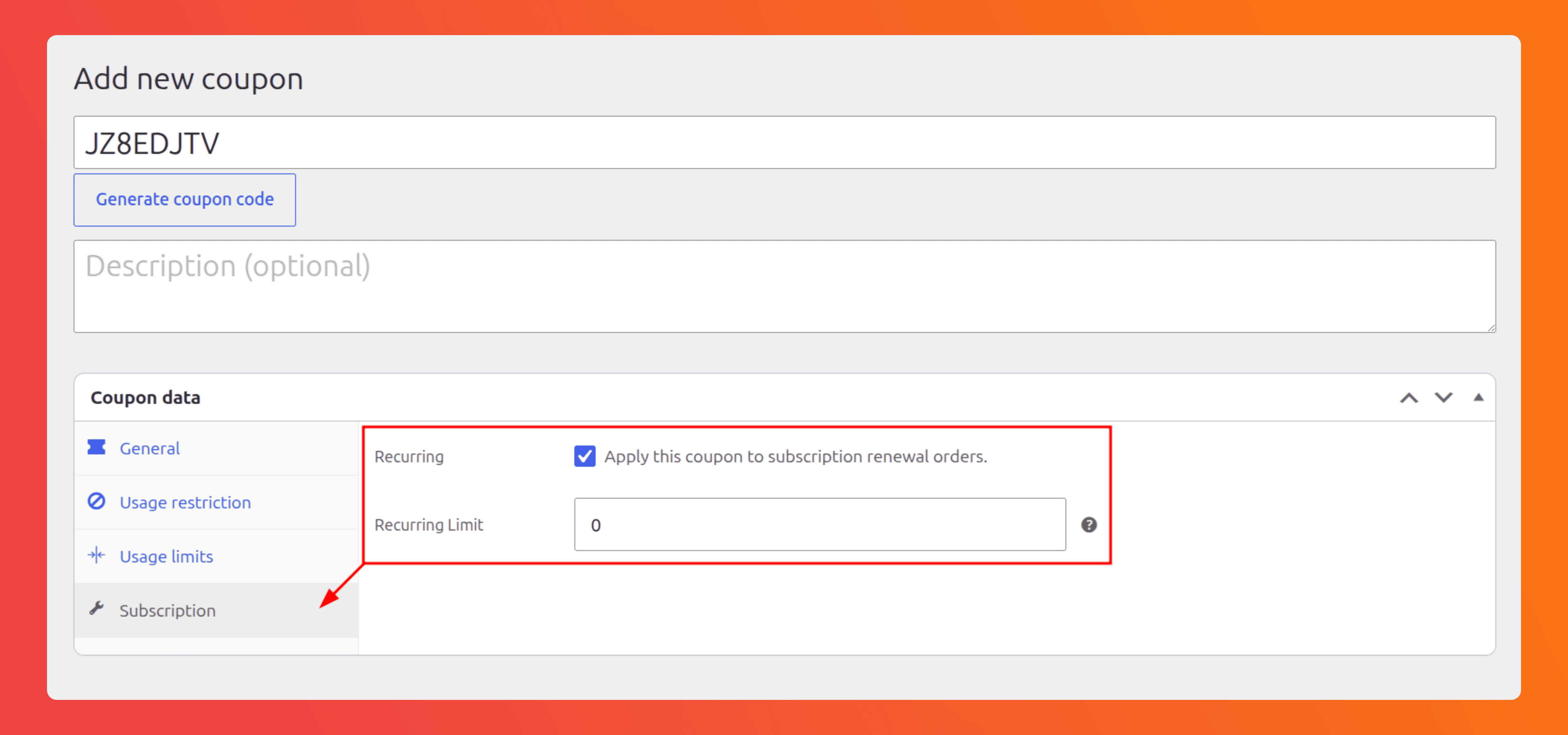
With our WPSubscription Pro plugin, you can offer recurring coupons. A recurring coupon will apply the discount not only on the initial subscription order but also on the renewal orders.
This encourages customer loyalty and repeat business, as shoppers can take advantage of ongoing savings on their favorite products or services.
To set up a recurring discount, you will need to have the WPSubscription Pro plugin installed and activated.
Steps to Create a Subscription Recurring Coupon:
Go to WooCommerce > Marketing > Coupons.
Create a new coupon or edit an existing one.
Go to the Subscription tab in the Coupon data section.
Check the Recurring checkbox.
Set the Recurring Limit. This controls how many times the coupon will be applied to the subscription.
Keep the Recurring Limit to 0 for no limits.Save the coupon.