
WPSubscription Pro ties License Manager for WooCommerce licences to the subscription that pays for them. One licence key is issued at the first order and then follows the subscription: it stays active and its expiry date moves forward with every renewal, and it is deactivated when the subscription is cancelled or expires. Renewal orders never mint a second key.
Prerequisites
WooCommerce, active.
WPSubscription (the free plugin), active.
WPSubscription Pro, active. This integration ships in Pro.
License Manager for WooCommerce, active, with licence generation already configured on the product.
Note: There is nothing to configure in WPSubscription. Set the product up as you normally would in License Manager for WooCommerce; the integration switches itself on as soon as both plugins are active.
What the integration does
Four things happen on their own once both plugins are running.
One licence, not one per renewal
Left alone, License Manager for WooCommerce would generate a fresh licence key for every completed order — and a subscription produces a completed order every billing cycle. WPSubscription marks each renewal order as already handled, so the customer keeps the key they were given at the start instead of collecting a new one every month.
The subscription remembers which order the licence came from, so this holds even if the original order is not the most recent one.
Activation sets the expiry date to the next payment date
When the subscription becomes active — at the first payment and at every successful renewal — the licence is set to Active and its expiry is set to the subscription's next payment date.
This is the part that does the real work: the licence is only ever valid up to the next time the customer is due to pay. Renewals push it forward automatically, and a customer who stops paying is left holding a key that expires on its own.
Cancellation and expiry deactivate the licence
When the subscription is cancelled or expires, the licence is set to Inactive. Your software's licence check will start refusing it from that point.
Note: A subscription in its grace period after a failed payment is not deactivated. The licence keeps working until the subscription actually cancels or expires, which is what gives the retry ladder time to recover the payment.
The customer can see their key
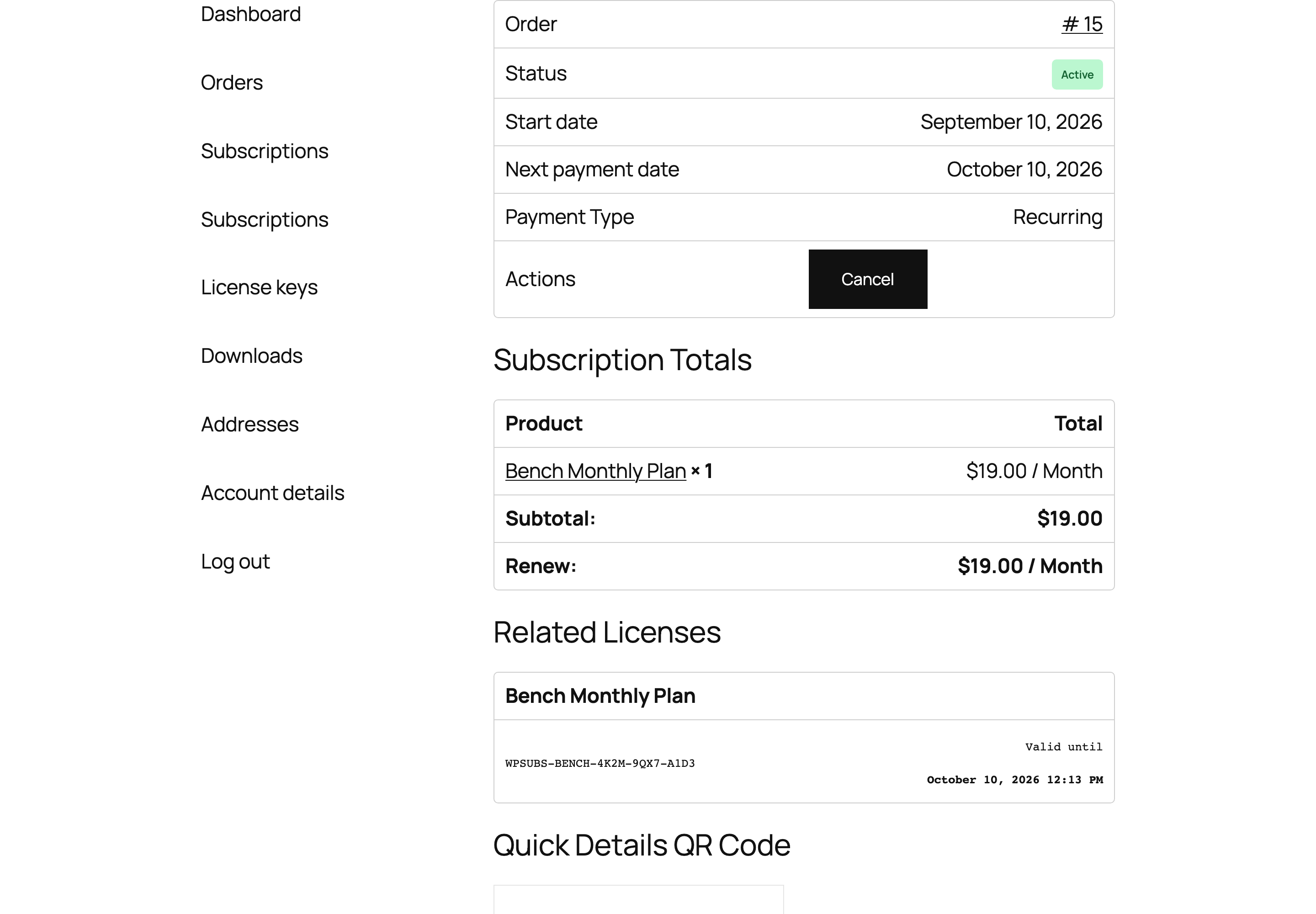
A Related Licenses table appears on the subscription in the customer's account, showing each key and the date it is valid until. It needs no setting up.
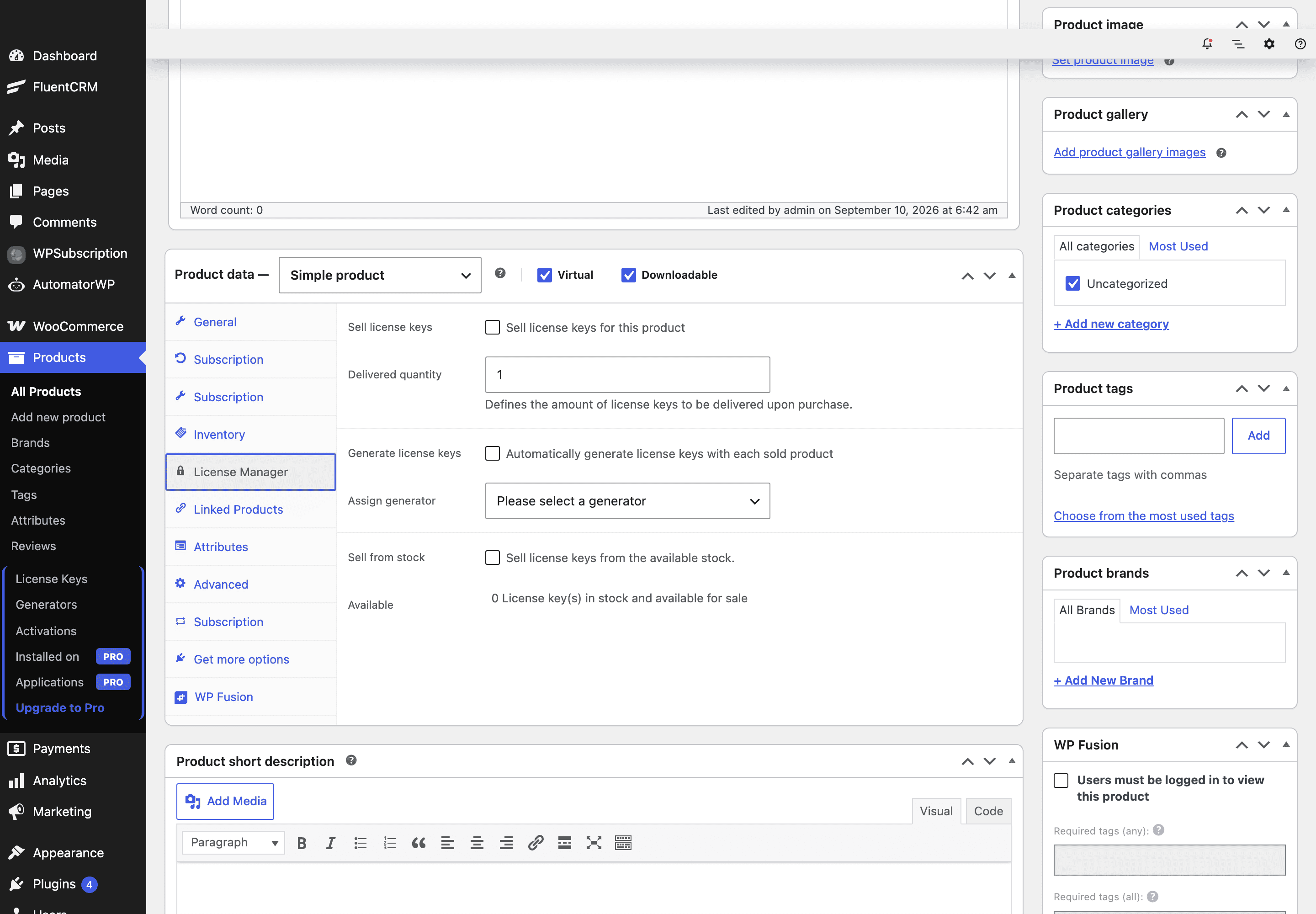
Step 1 — Set the product up in License Manager
Edit the subscription product and configure licences exactly as you would for a one-off product — generator, activation limit and so on. WPSubscription does not change how keys are created, only what happens to them afterwards.
Step 2 — Check what the customer sees
The customer opens the subscription from My Account → Subscriptions and finds a Related Licenses table below the subscription totals, showing each key and the date it is valid until.
Troubleshooting
Symptom | Cause |
|---|---|
A new licence key on every renewal | The integration is not running. Confirm both WPSubscription Pro and License Manager for WooCommerce are active — the integration checks for both before doing anything. |
No Related Licenses table for the customer | No licence was linked to that subscription. Check the original order actually generated a key, and that the product is marked as a licensed product in License Manager. |
Expiry date is empty | The subscription has no next payment date — this is normal for one that has been cancelled or has expired. |
Licence still active after cancelling | Deactivation runs when the subscription is cancelled or expires. A subscription that is only pending cancellation is still running, and its licence is deliberately left alone until the paid period ends. |
With both plugins active, the licence lifecycle follows the subscription with no further intervention.