
WPSubscription → Integrations lists everything WPSubscription connects to — payment gateways and third-party plugins alike — with what each one does, whether you already have it, and a button to install or configure it.
This article is about the screen itself. Each integration has its own article covering what it actually does; those are linked from the cards and from the Integrations category.
The screen
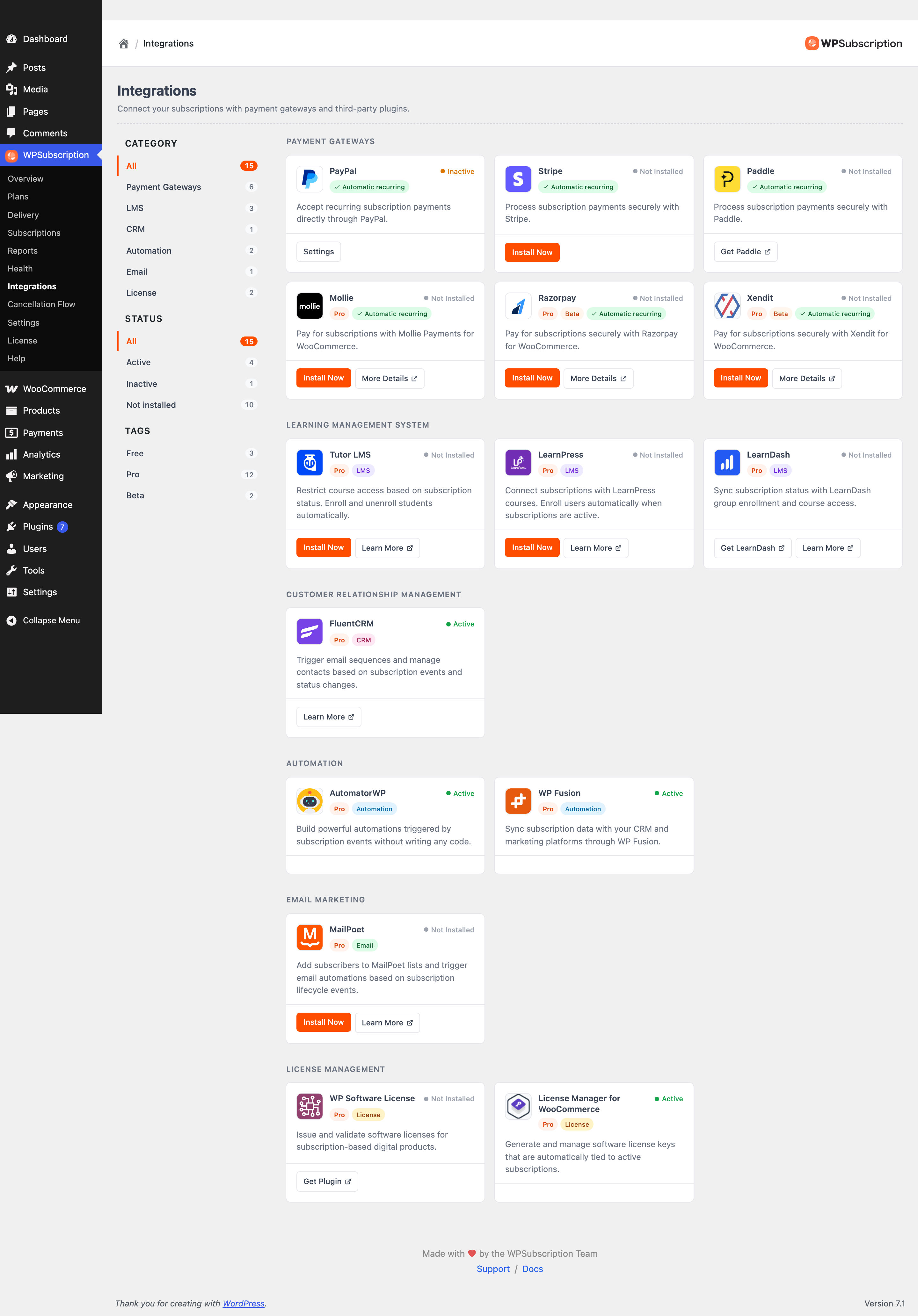
Cards are grouped under the heading for their category — Payment Gateways, Learning Management System, Customer Relationship Management, Automation, Email Marketing, License Management — so the screen reads top to bottom even before you filter it.
Reading a card
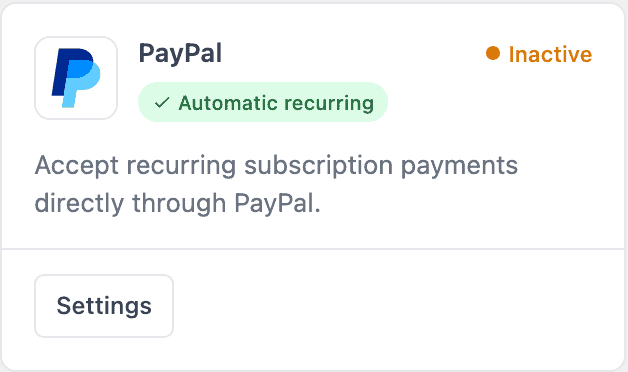
The status dot
Status | Means |
|---|---|
Active | Installed and switched on. The integration is running. |
Inactive | Installed but not activated, or activated and not yet configured. |
Not Installed | Not on this site. |
The badges
Pro — needs WPSubscription Pro. The third-party plugin may still be free; the badge is about WPSubscription's side of the connection.
Beta — working and supported, but newer and less battle-tested.
Automatic recurring — on a gateway card, this one can charge renewals on its own. A gateway without it can still take the first payment, but renewals have to be collected manually.
LMS, CRM, Automation, Email, License — what kind of integration it is.
Warning: Automatic recurring is the badge to check before you commit to a gateway. Without it, every renewal needs the customer to come back and pay — which is a different business from the one most people think they are setting up.
The buttons
Install Now — installs and activates a free plugin from WordPress.org without leaving the page.
Settings — for something already installed, jumps to where it is configured.
Get Paddle, Get Plugin, Get LearnDash — a paid plugin WPSubscription cannot install for you; the link opens where to buy it.
Learn More / More Details — the documentation for that integration.
Filtering
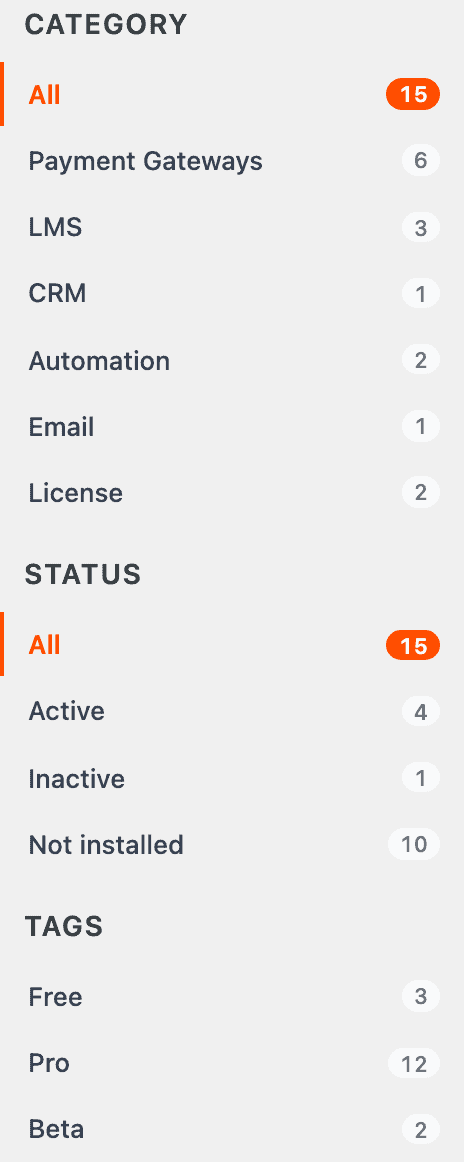
Filter | Behaviour |
|---|---|
Category | Pick one. A card belongs to exactly one category, so these are mutually exclusive — All comes back. |
Status | Pick one: Active, Inactive or Not installed. |
Tags | Pick several. Free, Pro and Beta can be combined. |
Filtering happens instantly, in the page.
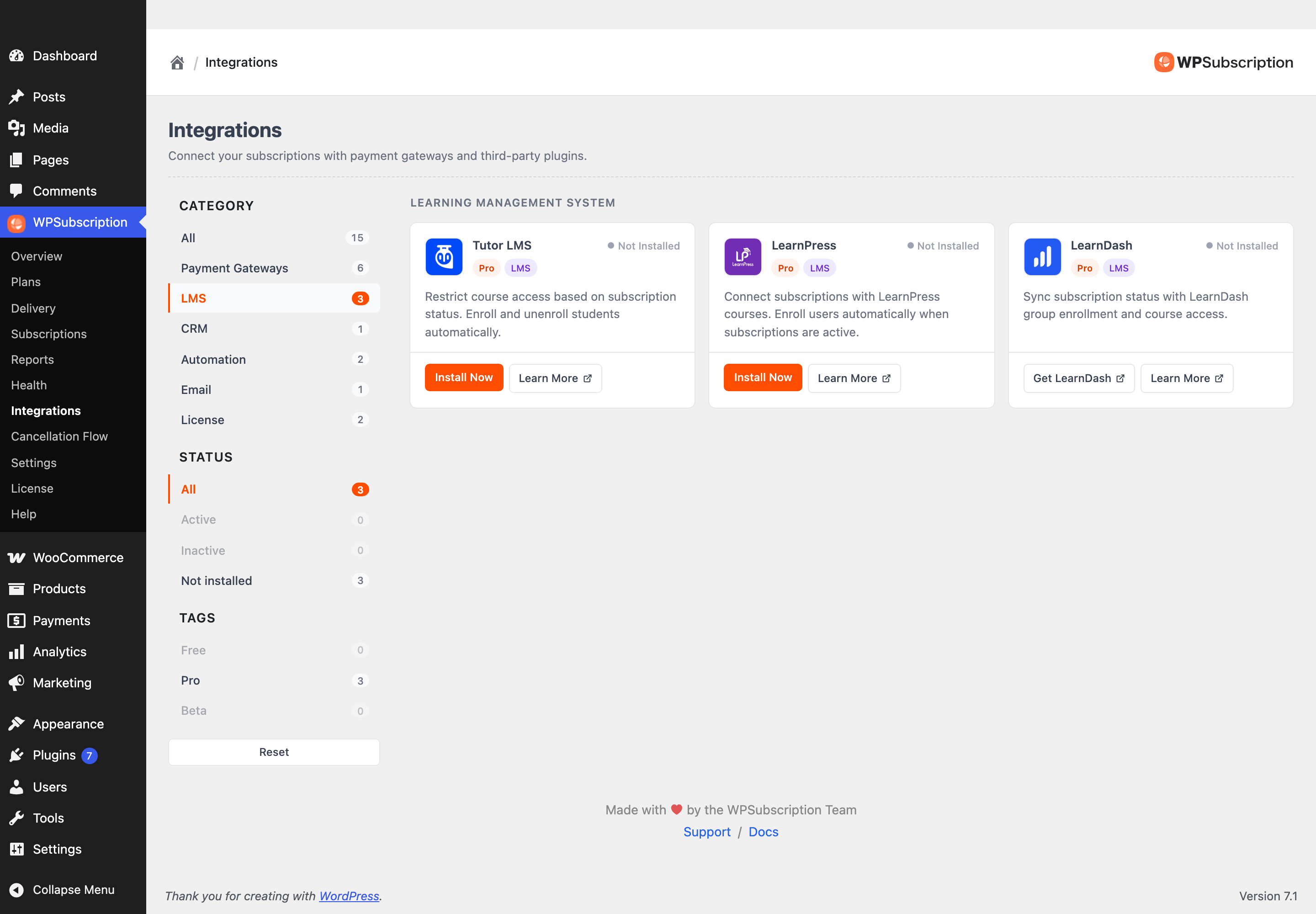
Two filters worth knowing:
Status → Active answers "what is actually connected on this site?" — the fastest way to audit a store you have inherited.
Tags → Free shows what you can switch on today without buying anything.
If a combination returns nothing, the screen says No integrations match these filters rather than showing an empty grid.
Installing one
Find the integration, using the filters if the list is long.
Click Install Now. WordPress downloads and activates it, and the card reports back when it is done.
The card's status becomes Active or Inactive and the button becomes Settings.
Click through and configure it — credentials, tag mappings, whatever that integration needs.
Note: Installing a plugin is a real change to the site. Do it on a staging copy first if the store is live and busy. Paid plugins are never installed for you — those cards link out to the vendor instead.
What to do next
Payments — setting up each gateway.
Integrations — what each third-party connection does.
Settings — which gateways are offered at a subscription checkout.