
Use Cases
Almost every subscription business is one of a handful of shapes. This article maps the common ones onto the WPSubscription pieces that build them, so you can start from something close rather than from nothing.
All of them are the same three ingredients in different arrangements: a plan, its durations, and the products attached to it.
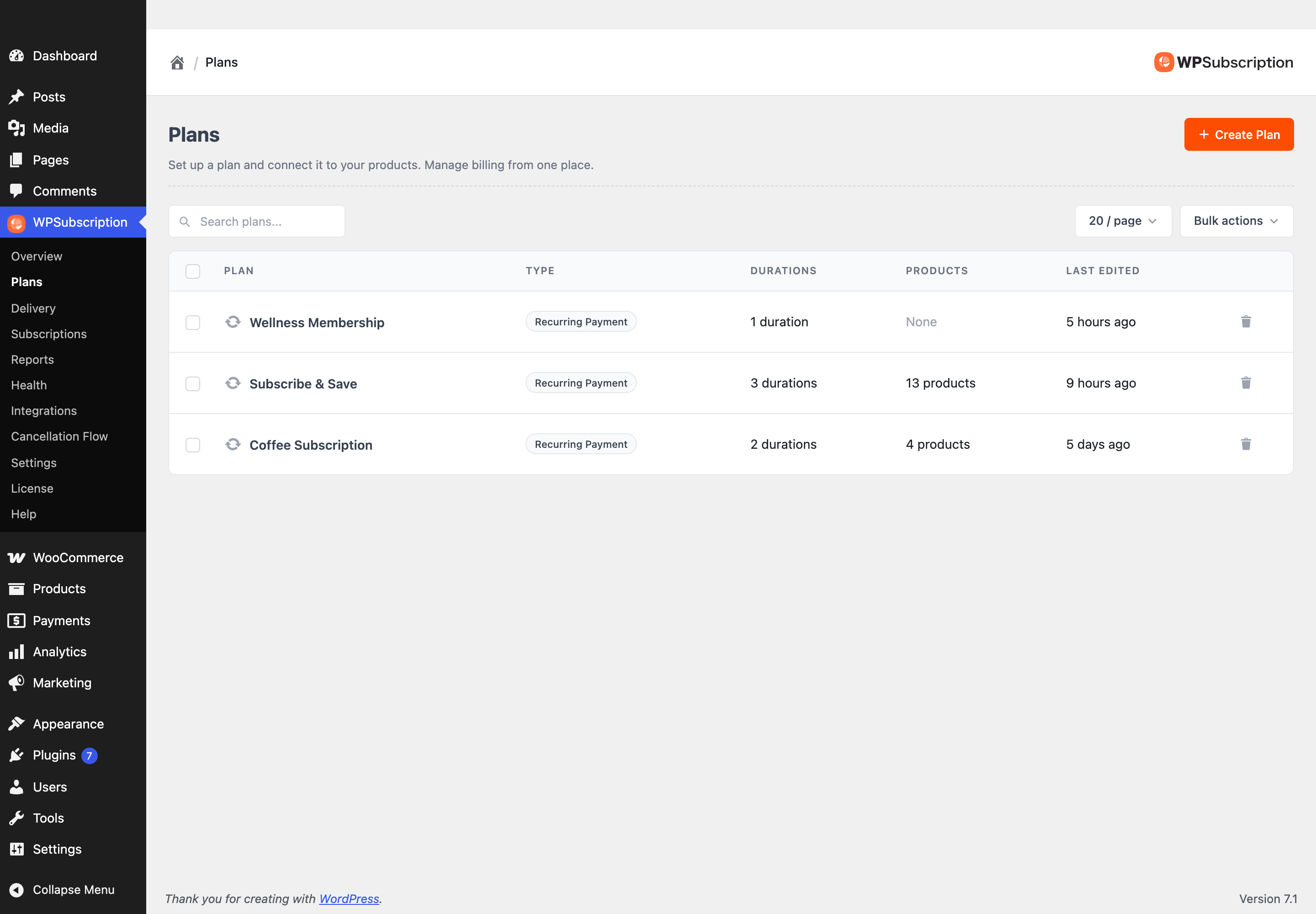
Start with the plan type
The plan type decides more than anything else, and it cannot be changed after the plan is created.
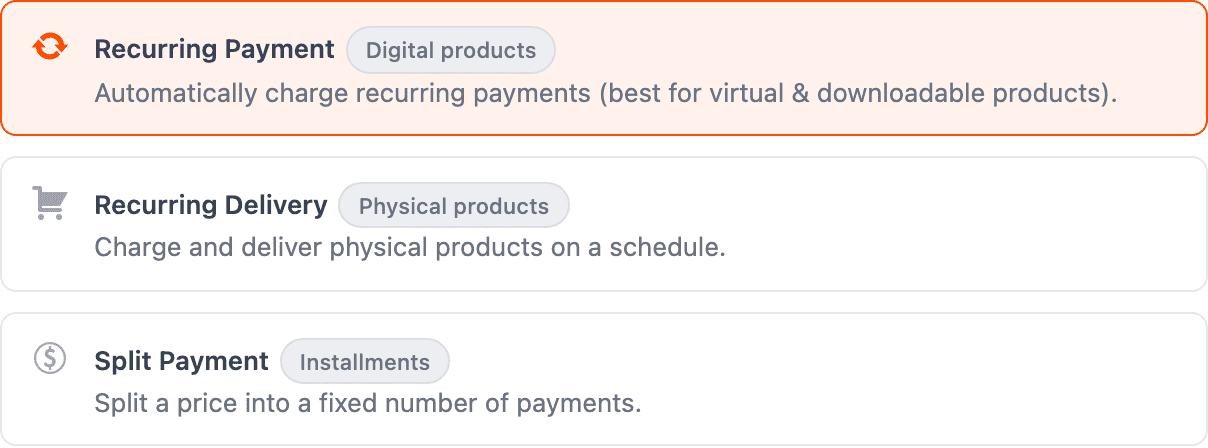
| If the business is about… | Use |
|---|---|
| Charging on a schedule for access or a service | Recurring Payment (free) |
| Shipping a physical thing on a schedule | Recurring Delivery (Pro) |
| Splitting one price into a fixed number of payments | Split Payment (Pro) |
1. Membership or SaaS
Community access, a web app, gated content.
- Recurring Payment plan.
- Two durations — Monthly and Yearly — with the yearly offer price set to roughly ten months' worth. The saving does the persuading.
- A free trial on the monthly duration.
- Under Settings → Customers, set Subscriber Default Role and Subscriber Inactive Role so access follows the subscription automatically.
See Managing user roles.
2. Replenishment — subscribe and save
Coffee, supplements, razor blades, pet food.
- Recurring Delivery plan, so shipping cadence and billing cadence can differ.
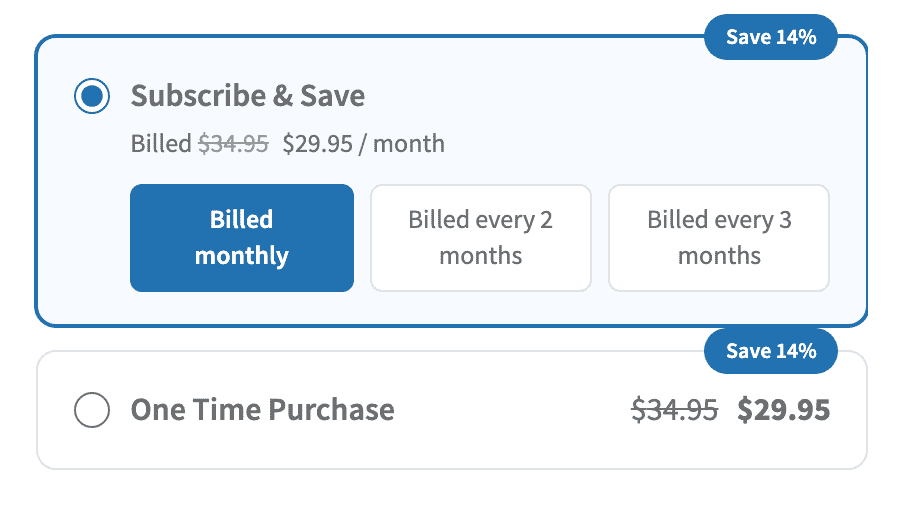
- Durations matching how fast people get through it — every month, every 2 months, every 3 months.
- An offer price on every duration, so the card shows a real Save 14%.
- One-time purchase on, so a first-time buyer can try one without committing.
This is the model the discount badge was built for: a shopper comparing $34.95 once with $29.95 a month usually subscribes. See One-time and recurring together.
3. Digital products with updates and support
Plugins, themes, templates, stock assets.
- Recurring Payment plan, yearly duration.
- One-time purchase on — "buy this version" beside "stay current".
- A licence integration so keys expire with the subscription. See License Manager for WooCommerce.
4. Service retainers
SEO, maintenance, bookkeeping, design retainers.
- Recurring Payment plan, monthly.
- A variable product with a variation per package tier, each priced on the same plan. See Variable subscription products.
- A signup fee on the duration for onboarding work (Pro).
- In simple mode, a custom Button Text — "Start service" reads better than "Subscribe".
5. Free trial, then paid
Anything where the product sells itself once people are inside it.
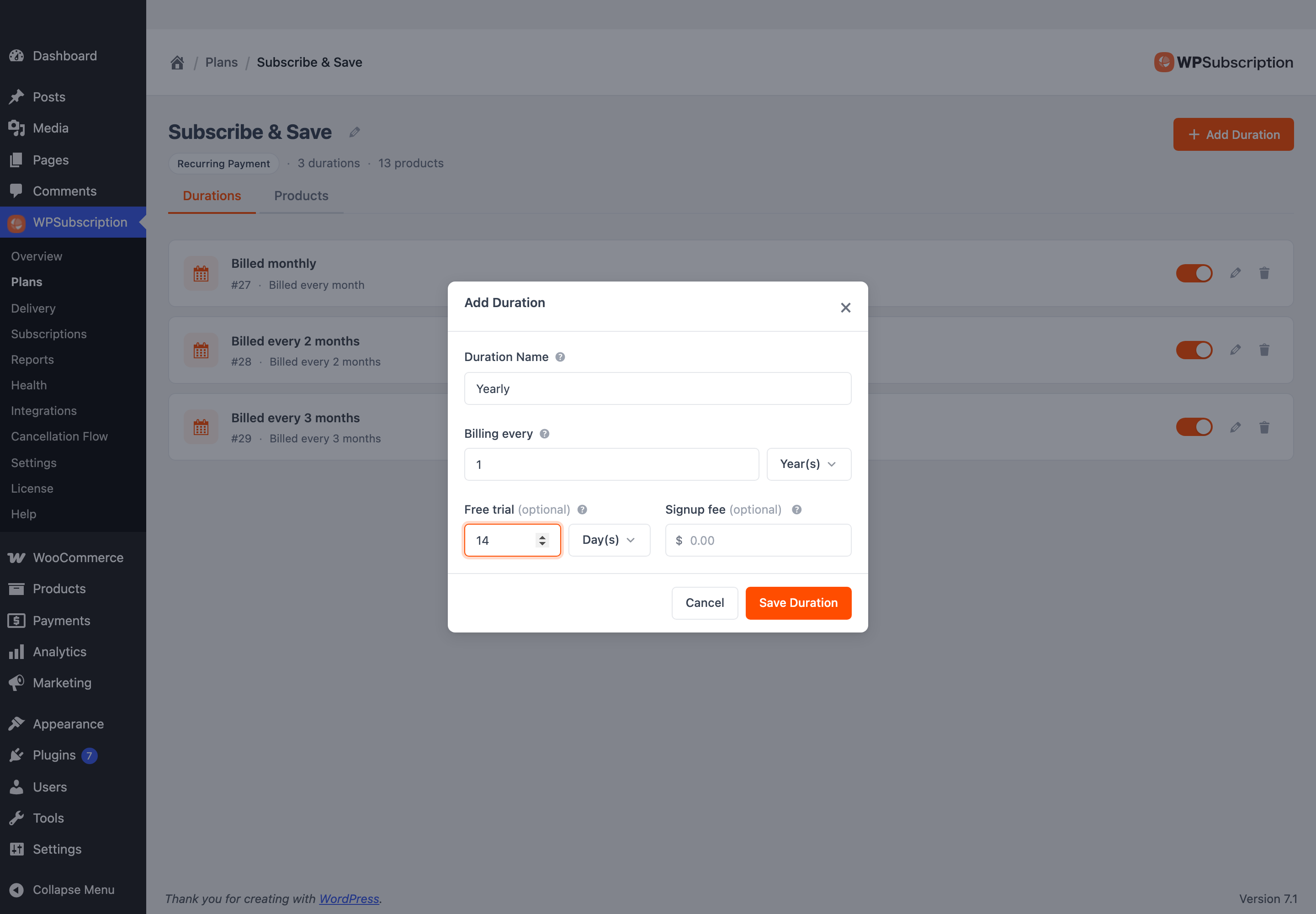
- Set Free trial on the duration. Nothing is charged until it ends.
- Under Settings → Payments, consider Require Payment for Free Trials. It reduces signups and sharply reduces failed first charges — worth it above a certain price.
6. Pay in installments
A course, a coaching programme, anything expensive enough that the price is the objection.
- Split Payment plan (Pro).
- Number of payments — three, six, twelve. Collection stops there; it is not open-ended.
- Access ends — whether they keep access after the final payment, and for how long.
This is the one model that is not really a subscription: it is one price, collected over time. See Split payment.
7. Prepaid terms
Quarterly coaching, annual licences, termly tuition.
- Recurring Payment plan with a long cadence — every 3 months, every year.
- Synchronize schedule to line everyone up on the same renewal date instead of their own signup date.
- Cancellation Timing set to At end of billing period, so someone who cancels keeps the term they paid for. See Cancellation Flow.
What every model shares
Four things are worth setting up whichever shape you picked, because they decide how much revenue survives its first year:
- A gateway that supports automatic recurring payments. Check the badge on the Integrations screen — without it, every renewal needs the customer to come back and pay.
- A grace period and retry ladder, so a card that fails once does not end the subscription. See Grace period.
- A cancellation flow that asks why and offers a discount before they go. See Cancellation Flow.
- A real cron job. Renewals, reminders and retries all run on schedule, and WordPress's built-in cron only fires when somebody visits the site. See Setting up a server-side cron job.
What to do next
- Setup wizard — the fastest route from nothing to a sellable product.
- Subscription plans — the concept the rest is built on.