WPSubscription relies on the WordPress cron system to perform various automated tasks, such as generating renewal orders and processing automatic payments.
By default, WordPress cron jobs are triggered by website visits. On websites with low traffic, the WordPress cron system may run infrequently or stop running altogether. This can prevent WPSubscription's automated tasks from being processed on time.
To ensure these tasks run reliably, you can configure a server-side cron job to trigger WordPress cron at regular intervals.
Setting Up the Server-Side Cron Job
Log in to your hosting management panel.
Navigate to your website or site entry.
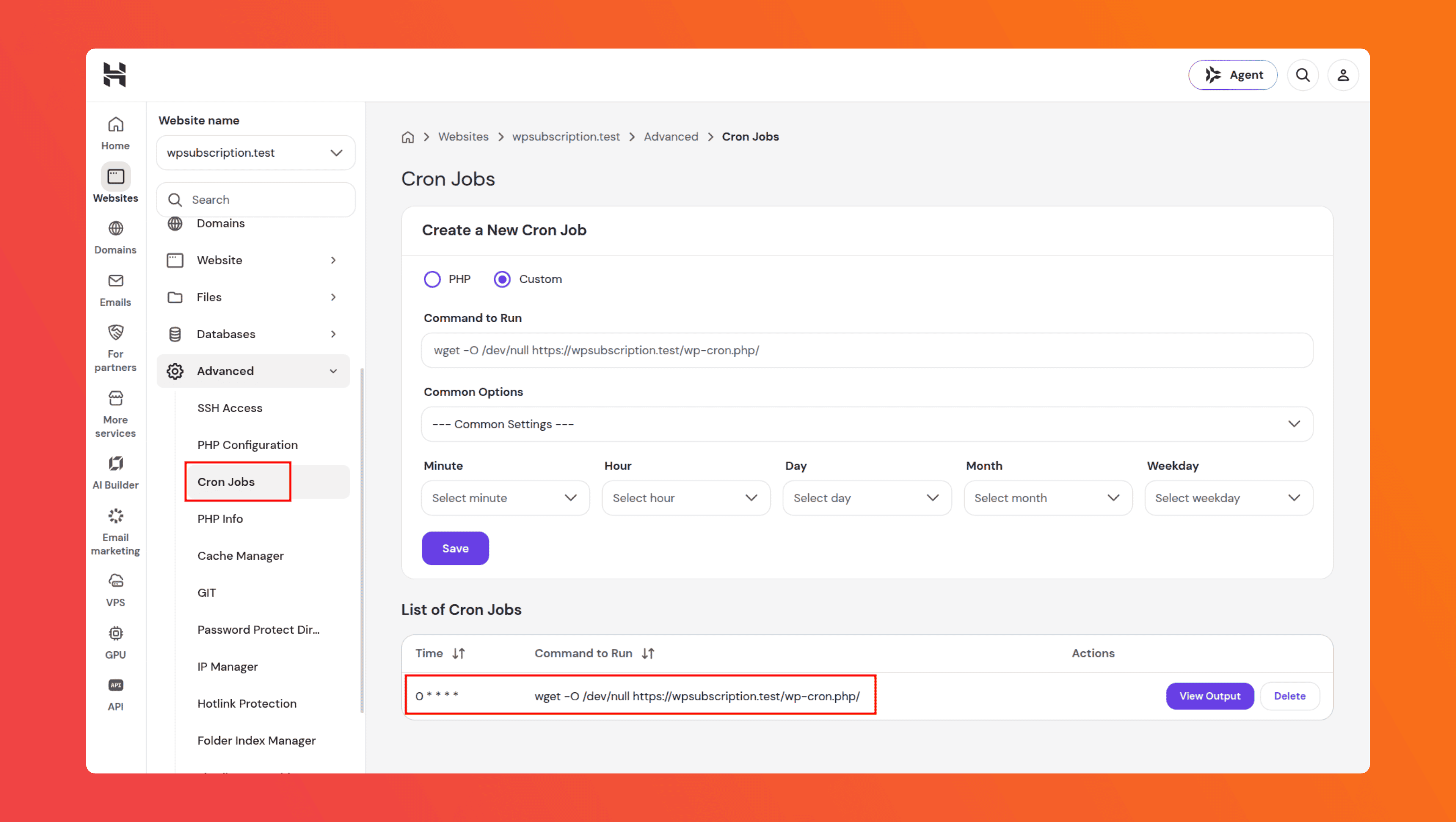
Open the Cron Jobs section. Depending on your hosting provider, this is usually located under Advanced or a similar section.
Add a new cron job using the following command:
wget -O /dev/null https://<YOUR_SITE_URL>/wp-cron.php/Configure the cron job to run once every hour.
Save the cron job.
Once configured, your server will trigger WordPress cron every hour, ensuring that WPSubscription's scheduled tasks can continue to run even when your website has low traffic.
So, the full URL will look like this: https://example.com/wp-cron.php/
This is an example of the cron job setup in Hostinger.